Saturday, October 17, 2009

PC-A05N add-ons: Lian Li BS-03

Just came back from my KL trip for my holiday. Did some changes on my PC-A05N built, take out the HDD cage for better airflow for PSU, leaving only primary HDD as the only HDD unit in the casing. Installed the Lian Li BS-03 side patented fan to improve the air flow of the case, especially the VGA compartment.

Photobucket
Swapped out 500gb HDD now will sit in here as my external HDD, 80gb HDD will keep in my shelf as backup HDD.

Photobucket

Saturday, October 10, 2009

Lian Li PC-A05N Water Cooled Mini i7

Phew... finally complete migrating all my hardware from the Old Good CM Stacker STC-01 to this little mini tower case from Lian Li. Specification mostly the same as the previous built but now with smaller radiator, means no more 4.2ghz run. But the Syscooling 120mm radiator I am using surprisingly yield quite impressive results. I able to handle 4.2ghz for prime run but crashed at LinX run. For 4.0ghz, it was on par or even better than Swiftech MCR-320QP from my PC-A6010 setup acting as intake instead of exhaust.

Enough talking, time to show off this little powerful rig.
Photobucket

The hardware components inside. Intel Core i7 920 @ 4GHZ, 6gb Kingston DDR3 1333 @ 1523, ASUS 4890 (3D rendering), MSI GTX260 (Physx mode), Corsair TX750.

Water Cooled components, DD CPX-Pro, Bitspower Bay reservoir, D-Tek Fuzion v2, Syscooling 120mm Copper radiator.

Photobucket


More to come about the ATI + Nvidia Physx run...

Saturday, August 29, 2009

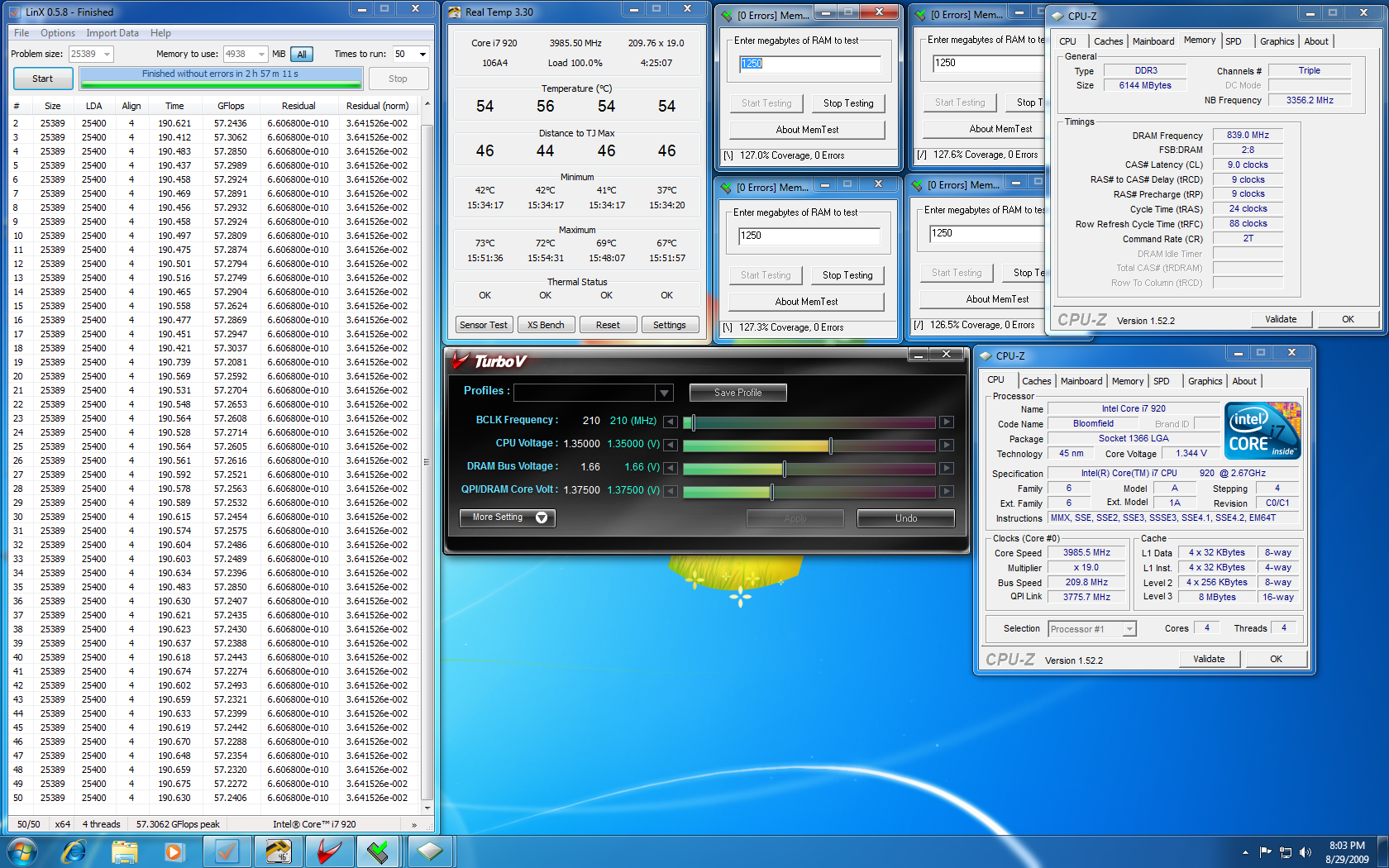
ASUS P6T and KVR1333 @ 210 BCLK @ DDR3 1678

After some working days, finally get some free time, time to tweak my PC system.

System Components:
Intel Core i7 920 C0/C1 stepping
ASUS P6T 0502 BIOS
6gb Kingston DDR3 1333 Value Ram
ASUS 4890
Western Digital 80GB HDD. (WD80JD)
OS = Windows 7 RTM version.

Cooling system:
D-Tek Fuzion v2, Swiftech MCR320QP, Danger Den CPX-Pro, Bitspower drive bay reservoir.

The main objective of this run is to try out higher BCLK + RAM frequency at around 4ghz clock for CPU frequency. Here is the screenshot after LinX run and Memtest run to make sure everything is stable.

Photobucket Although its nothing special for this tweak since I think most people who into overclocking shall reach it. This is my first time success of pushing my system past 200 BCLK stably and to my suprise my value ram which rated at 1333 able to reach DDR3 1678. So I am quite satisfied with the outcome, and I will tweak my system again in future when I got the free time.

Friday, August 21, 2009

DDR3 1333 Kingston Value Ram

PhotobucketBought 3 stick of 2gb DDR3 1333 Kingston Value RAM last week just in time before the price hike in the memory market hit Malaysia. Bought it with the price before price hike, so glad that I was able to made it just in time for the cheaper ram.

The ram modules I got no longer were the hynix chips, which previous batch of KVR module were using, instead they are replaced by qimonda chips. The hynix according to some forumer over at lowyat forum, is quite OC'able, at least it does ddr3 1600++ CL8/CL7.

PhotobucketPhotobucket

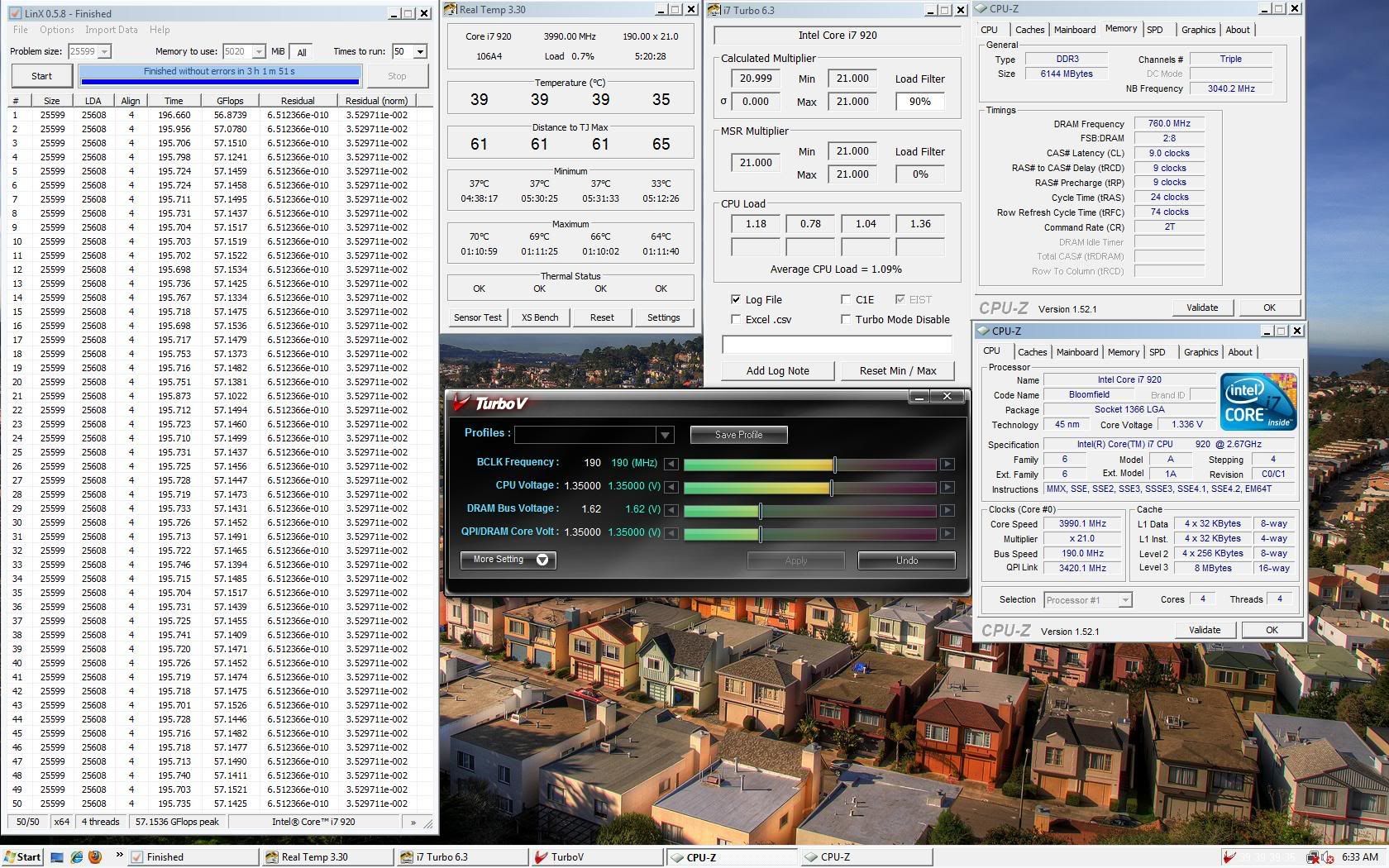
So, after getting the KVR 1333 2gb stick with qimonda chip, I tryout how fast these qimonda batch KVR can do. Surprisingly, it does DDR3 1520 CL9 stable, not bad although its not as good as the hynix chip.

Photobucket
With Vista x64 Ultimate, the size of memory does impact performance of a PC. I opted to upgrade to 6gb kit as it benefits more using Vista x64 compare to 3gb Kit. This time I save cost by getting the value ram over performance ram as stated in my previous article, the difference is not much, and I managed to push it to DDR3 1520 just like my previous 3gb Team Xtreem Kit could do. I have not pushed the chip to the max as I do not want to mess up with current settings I got which is 190 BCLK * 21 @ 3990MHZ with DDR3 1520. But I believe these Qimonda batch KVR able to push to higher speed as DDR3 1520 definitely not maxing out them yet.

Thursday, August 13, 2009

Intel Core i7 In-Depth Performance Scaling Analysis from Madshrimps

PhotobucketPhotobucket
I came across this useful article Intel Core i7 In-Depth Performance Scaling Analysis, while surfing over at MADSHRIMPS. The article is quite useful for i7 user that interested to overclock their PC as it has lot of analysis data for different overclocks and performance gain from them.

The article analyze the overclocks of QPI Links, Uncore frequency, CPU frequency, BCLK frequency and memory frequency. Other than that, it also covers memory latency and channels performance scaling.

The results show that overclocking CPU frequency yields the best performance gain followed by uncore frequency. But then, the overclocking uncore frequency is the only way to get higher memory clock since the 1:2 Memory frequency to Uncore frequency in Core i7.

In short: the third memory channel increases the bandwidth SO much that even a 4GHz uncore can't really keep up with the enormous amount of data coming from the memory. Overclocking helps to reduce this problem.

What surprises me from the article is the performance gain with memory frequency overclocking, overclocking memory frequencies does not seems much difference, it only show difference in Everest memory benchmark and does not help much in gaming. And when it comes to latency CL6 is not that much faster than CL8 or even CL9, 1T and 2T difference are not even 1%. And also the minimal gain from third channel of ram, dual channel seems the are the optimum channels.

So in conclusion, I think that for regular user there are no point to go for mid or high end kit performance ram which cost double or triple the price of the value ram. Unless you are really a benchmark enthusiast that want maximum performance form your PC. We can usually overclock ram frequency of value ram to some decent speed depends on luck and chip that the value ram used. On some X58 motherboards it's actually quite easy to tune your low-clocking memory kit to have the performance of a highly overclocked memory kit by changing the Back-to-back Cas Delay memory timing.


Photobucket
For PC and benchmark enthusiast that want maximum performance only, not for Gamers that just want smooth frame rates. Indeed spent the amount of money saved on purchasing a value ram and invest it on a high performance graphic card yield more performance gain. But if you got the cash, why not...